Prices
With Aimy, you're not tied to anything and you can try without obligation.
You choose from an Aimy package that can be expanded with handy
add-ons.
How do you want to pay?
The functionalities of Aimy
Agenda management
Digital cash register
Notifications
Online bookings
Customer Management
Targets
Trial period of 21 days
ZZP & small team
For 1 - 2 employees
€21,50
/ month excluding VAT
€232,20
/ year excluding VAT
Save €19.35
Trial period of 21 days
Team 3 to 5
For 3 - 5 employees
€51,50
/ month excluding VAT
€556,20
/ year excluding VAT
Save €46.35
Trial period of 21 days
Large teams & chains
For more than 5 employees
€71,50
/ month excluding VAT
€772,20
/ year excluding VAT
Save €64.35
Aimy Add-ons
Expand your package with convenient add-ons. This is how you create the most powerful version of Aimy for your salon.

Your virtual assistant who responds 24/7 via WhatsApp, answering questions, taking bookings and supporting customers.

Exact Accounting Package
Link your administration directly to Exact, so accounting no longer takes time.
Available soon

Google Reserve
Link free Google Reserve to your salon to receive new bookings and grow your salon.
Available soon
Our packages
All in a row
ZZP & small team
For 1 - 2 employees
Team 3 - 5
For 3 - 5 employees
Large team & chains
For more than 5 employees
Our packages
All in a row
ZZP & small team
For 1 - 2 employees
Team 3 - 5
For 3 - 5 employees
Large team & chains
For more than 5 employees
Price per month Price per year
€232,20
€556,20
€772,20
Number of employees
1 to 2
3 to 5
More than 5
Support
AI Support
Chat
Telephony
All functionalities
in all Aimy packages
Planning & (Online) Calendar
Everything for scheduling, managing and booking appointments online. For the salon and your clients.
Agenda
Online bookings
including your own booking link
Google Analytics
For insight into online bookings
Customer Login
Waiting list
Schedules and schedules
Crossbooks
Quick Search
Chair rental
Checkout & Payments
Functionalities for sales, POS management and payment processing.
Box Office
Payment link
Linking printer and cash drawer
Cash Overview
Invoices
Payment Requests
Gift Certificates
Subscriptions
Product sales
Marketing
Tools for customer communication, retention and salon growth.
Notifications
appointment confirmations & reminders
Forms
intake or additional customer information
Reviews
Loyalty
Promotions
Referral program
Recommend salons
Upsell
Customer segmentation / Customer groups
Team & Staff
Management of employees, roles and performance.
Targets and commissions
Hours registration
CLA
Roles and rights
Profiles team members
Performance Overview
Carefree switching
We'll help you get started for free with our comprehensive switching service
Whether you are just starting out or have been using salon software for years: Aimy transfers all the data for you and provides unsurpassed support. So you can be up and running in no time.
Schedule a demo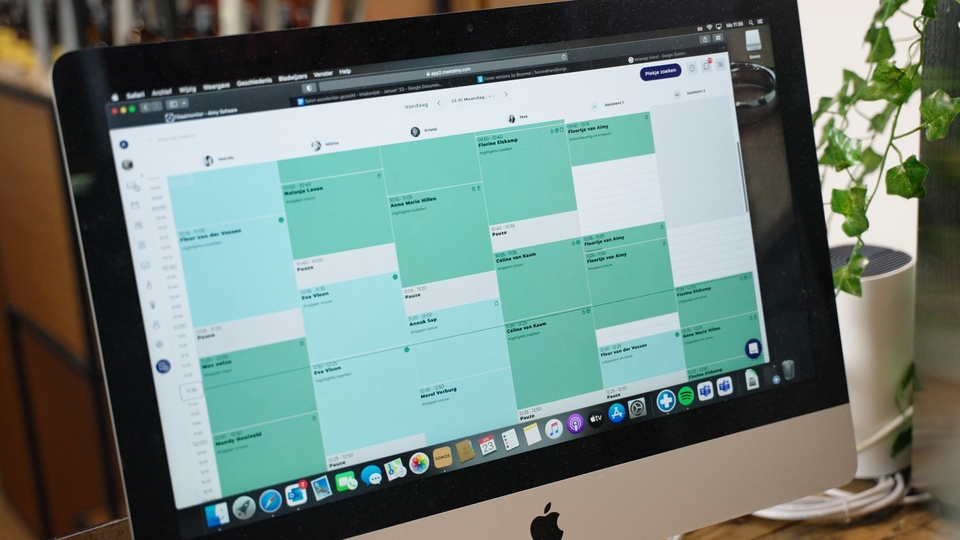
Frequently Asked Questions
With Aimy, you are never locked into a contract. The subscription is cancelable on a monthly basis. This can easily be done by downgrading the subscription after logging in.
We have a special switching service. Past and present information is transferred from the existing system. This includes appointments, invoices, services, color cards and products. These are placed into the system at a moment's notice. So you can get on with your salon right away.
The Aimy team is available 5 days a week between 9:00 a.m. and 5:00 p.m. You can reach us via WhatsApp, email, and/or phone. We are happy to help you with any questions you may have. These may concern setting up certain features, your subscription, or new suggestions for Aimy.
Whatsapp is very en easy to activate. The moment you have selected a subscription, you can activate the Add on Whatsapp. Then you can go to settings >> notifications. Here you can find all types of notifications. By turning on whatsapp for a notification whatsapp will be sent automatically.
Our widget can be placed on any type of website. The widget can be activated by placing a piece of code on your website. Usually this can be done by placing the code snippet in the footer tag of your website. The piece of code can be found under settings >> widget >> widget code and settings. Of course, we also understand that placing the piece of code can be complicated. That's why the team at Aimy is happy to help you place the code.
You will receive your first invoice immediately after signing up. After that you will receive an invoice every month. The invoices will be sent to you by e-mail.
To successfully set up your account, we recommend first getting started with creating employees, categories and services. Then you can enter employee availability. The calendar is then ready to use. Do you also want to sell products? Then you can add products under the "products" tab. These are immediately available in the cash register. Notifications can be turned on by going to settings and then notifications. So you can successfully start using the software!
The information (data) is securely stored on our servers (located in the Netherlands). Customers must agree to the terms and conditions when booking and have the option to opt-in and opt-out.